Posting Charges to Discrepant AR Account
Users are not allowed to close an AR account if the account is associated with an active reservation, group, or routing rule. The following restrictions apply when users post charges to an AR account associated with a routing rule, reservation, or group:
-
When the transaction dates fall outside the validity dates of the AR
-
When the account status of the AR account is On Hold
-
When the transaction amount exceeds the credit limit of the AR account
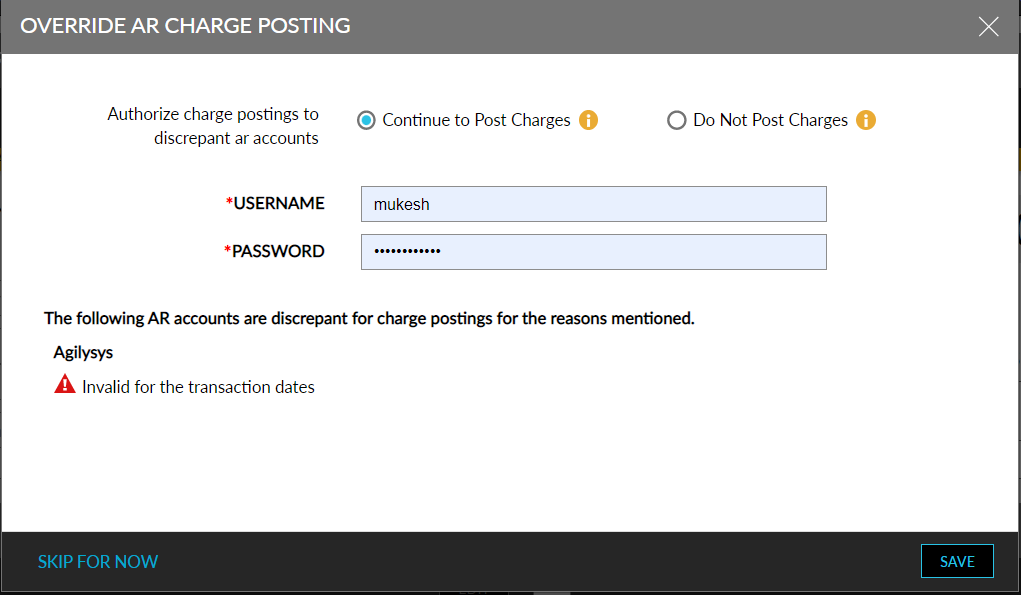
When any of the mentioned restriction occurs, the new, Override AR Charge Posting, pop-up screen is displayed, prompting users to enter their credentials to authorize, to override the restriction and post charges to the AR account. The Override AR Charge Posting screen displays the following information and options for the user to control the workflow of AR Accounts:
-
The AR accounts will be listed with the reasons for discrepancy.
-
Authorize Charge Postings to Discrepant AR Accounts:
-
Continue to Post Charges: Enable this option to override the discrepancy and post charges to the AR account. Users will be prompted to enter their credentials to authorize, to post charges and change the payment method to Direct Bill in the third-party folios of the reservation.
-
Do Not Post Charges: When this option is enabled, the charges will not be shown as third-party in the Estimated Charges section. They will be displayed in the guest’s estimated charges, and the third-party folio’s payment method will be changed to the reservation’s default payment method.
-
-
Username: Username of the user authorizing the override
-
Password: Password of the user authorizing the override
-
Skip for Now: Click this option to close the Override AR Charge Posting screen.
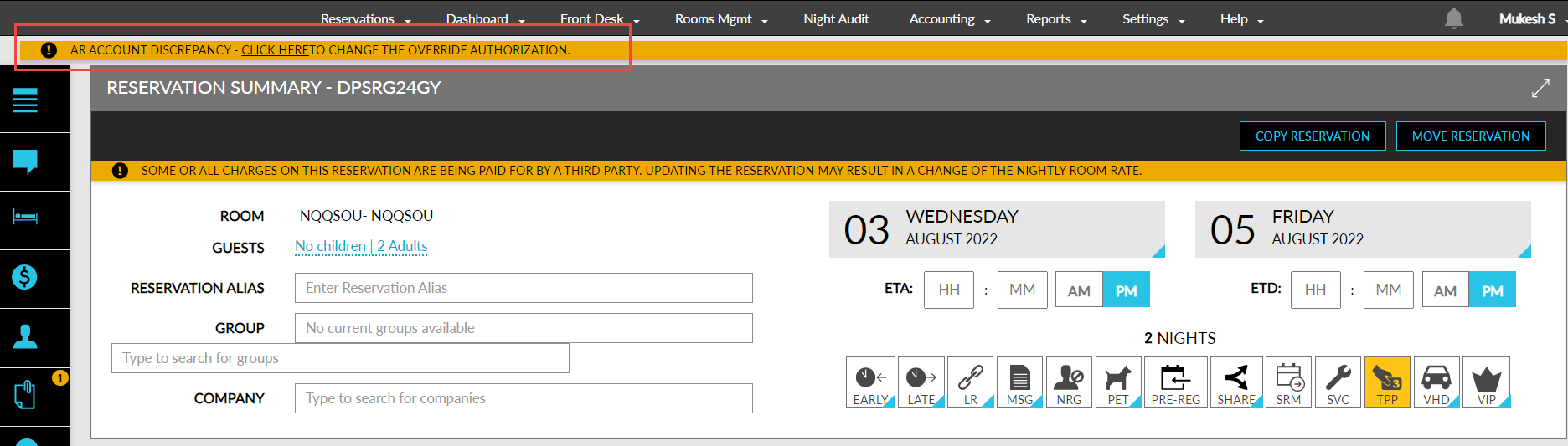
If users authorize the Continue to Post Charges option, the following message will be displayed at the top of the Reservation screen: AR Account Discrepancy - Charge postings to AR account enforced by <username> at <time> on <date>. Click here to change the override authorization. Users can click the link in the message to open the Override AR Charge Posting screen and reauthorize a different option.
If users authorize the Do Not Post Charges option, the following message will be displayed at the top of the Reservation screen: AR Account Discrepancy - Charge postings to AR account revoked by <username> at <time> on <date>. Click here to change the override authorization. Users can click the link in the message to open the Override AR Charge Posting screen and reauthorize a different option.
The information about users authorizing is captured in the following logs:
-
System Audit Log (Reports ➜ Audit Log)
-
Reservation History Log (Reservation ➜ Summary ➜ History)
-
Group History Log (Group ➜ History)